


Typing Aid
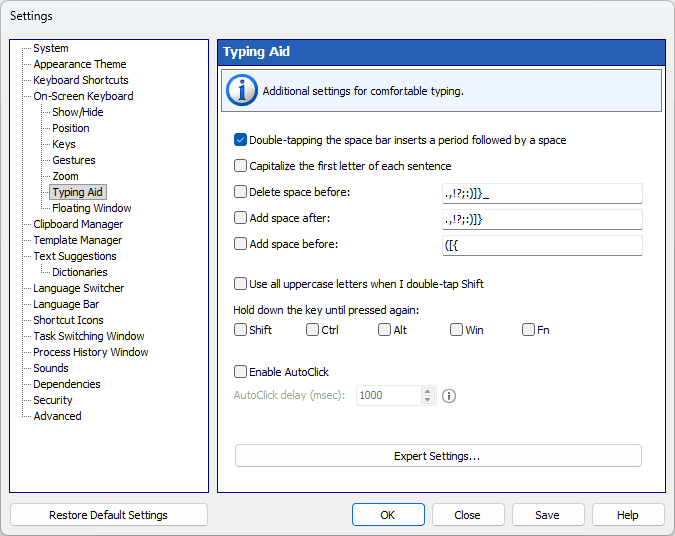
Additional features for comfortable typing on the on-screen keyboard.
Double-tapping the space bar inserts a period followed by a space
You can insert a period followed by a space by pressing the space bar twice.
Capitalize the first letter of each sentence
If one of the specified characters is entered, the Shift key will be pressed automatically.
Delete space before
If any of the characters on the list is entered and there are any spaces before that character, the spaces will be removed.
Add space after
If any of the characters on the list is entered, a space will be added after that character.
Add space before
If any of the characters on the list is entered and there is no space before that character, a space will be added before it.
Use all uppercase letters when I double-tap Shift
Double-tapping Shift on the on-screen keyboard makes it stay down. Tap Shift again to release it.
Hold down the key until pressed again
Check the modifier keys (Shift, Ctrl, Alt, Win or Fn) that should stay down after being pressed on the on-screen keyboard until you press them again.
Enable AutoClick
If you hover the mouse over a key, it will be pressed automatically with the specified interval between key presses. This feature may be useful for persons with certain disabilities.
AutoClick delay (msec)
The time that passes before a mouse click is done at the mouse pointer’s current position.