
Hjelp på nettet

Introducing Comfort On-Screen Keyboard Pro
How to buy Comfort On-Screen Keyboard Pro
How to use Comfort On-Screen Keyboard Pro
Using the on-screen keyboard
Customizing the keyboard type
Editing shortcut icons
Settings
System
Appearance Theme
Keyboard Shortcuts
On-Screen Keyboard
Show/Hide
Position
Keys
Gestures
Zoom
Typing Aid
Floating Window
Text Suggestions
Language Bar
Shortcut Icons
Sounds
Dependencies
Security
Advanced
Development
How to show, hide, move, or resize the on-screen keyboard
How to lock all settings
How to activate different keyboards
FAQ for developers
Command line parameters
Other issues
FAQ - Frequently asked questions

Settings

When developing Comfort On-Screen Keyboard Pro, we tried to keep the number of optional settings to a minimum, leaving only those that are truly necessary.


To open the Settings dialog box, right-click the Comfort On-Screen Keyboard Pro icon in the system tray and select the Settings item in the context menu.
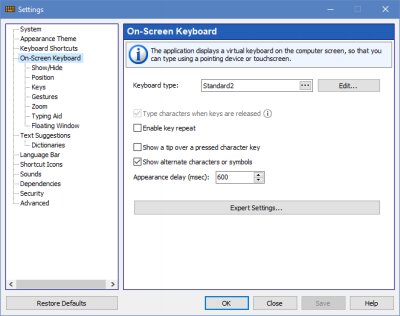

optionskb