


Sounds
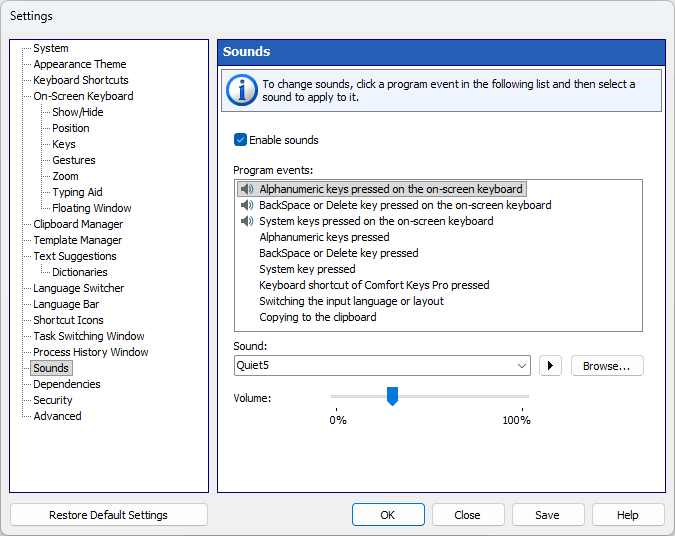
You can configure short sounds for different events, such as pressing a key on the on-screen keyboard.
By default, sounds are turned on. Use the “Enable sounds” checkbox to turn all sounds on or off; you can also turn them off via the application’s context menu.
Select an event in the “Program events” list, then pick a sound for it in the “Sound” box. The play button next to the box previews the selected sound.
Use the “Volume” slider to adjust the volume for the sounds. The application will apply that volume to all its sounds.
To select your own sound, click the Browse... button. You can use only WAV files.